Add an address, with context.
Paste a public address or scan a receive-address QR code. Review the network, provider disclosure and terms before giving consent.
Watch-only tracking for web & ChatGPT
Follow native coin balances across public addresses. Keep a saved timeline, see the USD value, and check the same portfolio in ChatGPT.
Choose a launch notification or register platform interest. An interest button does not promise a native release.
Public addresses only. Your keys stay with you.
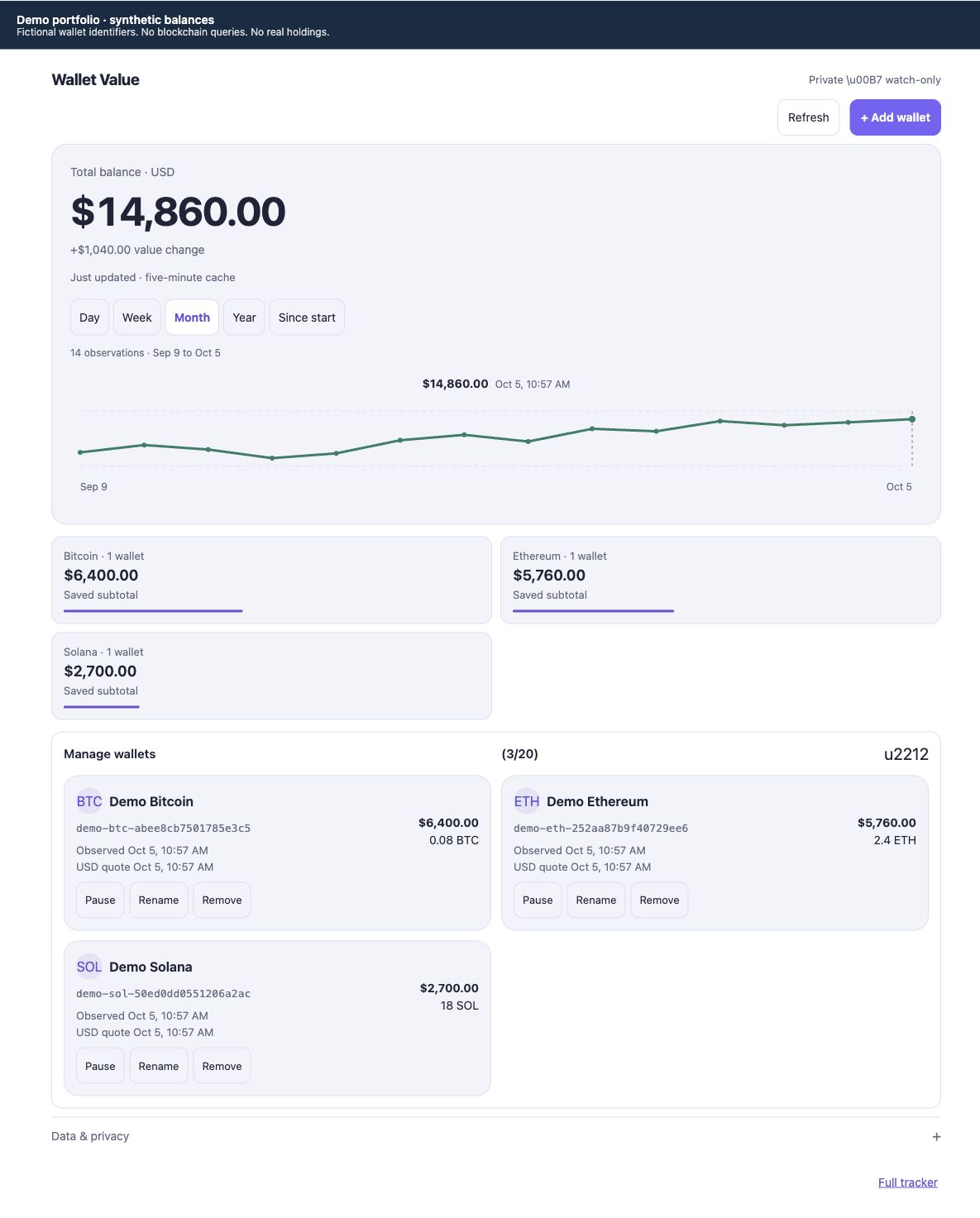
Track native coins across up to 20 public addresses.
Native coins only. Token and NFT holdings are not included.
From a public address to a useful picture
Paste a public address or scan a receive-address QR code. Review the network, provider disclosure and terms before giving consent.
Complete refreshes save observations. Switch from day to month to your full saved history, and inspect points on the chart.
Rename, pause or remove an address. Observation times and cache status show how fresh the saved values are.
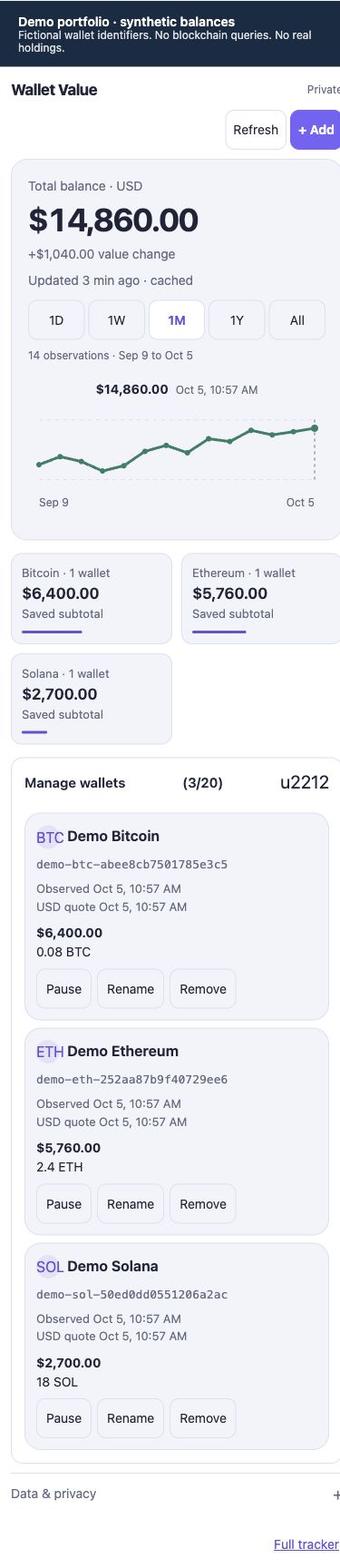
The same tracker in your conversation
Use the web tracker directly, or work with the connected Wallet Value plugin in ChatGPT. Read a summary, review an address, or manage tracking with the same consent rules.
“Show my saved wallet summary for the past month.”
An example request for the connected plugin. Screenshots on this page use isolated demo data.
Balance changes need context.
A transfer can change the chart as much as a market move. Saved observations describe value changes, not investment returns.
You add a public receive address. Wallet Value is watch-only: it never asks for a seed phrase or private key and does not sign or send transactions.
Native coins on the eight supported networks, converted to USD. Bitcoin uses confirmed address balances. Tokens, NFTs, staking positions and a complete wallet-wide balance are not included.
Before saving, you review the selected balance provider and its terms. Bitcoin addresses go to Blockstream; other supported networks use Allnodes PublicNode. Coinbase supplies USD quotes. You explicitly consent before tracking starts.
The app reuses a five-minute cache and checks for newer balances when its view is visible or a tracking tool is called. Manual refresh saves a snapshot when every tracked address succeeds. If a provider fails, saved values stay available.
No. Deposits, withdrawals and price changes can all affect the balance. The chart compares saved observations; it does not calculate investment gains or provide trading advice.
Yes. Pause stops future balance checks for that address. Remove takes it out of active tracking while keeping saved history. You can also rename addresses to make them easier to recognize.
Watch-only native coin tracking, with saved history and explicit provider consent.